

Designing a Home Office for Comfort and Focus
Austin DibiasiThe idea of separating our work and personal lives is not new, but the lines have blurred significantly with the rise of remote work. Creating a dedicated workspace is no longer a luxury, it is a fundamental requirement for maintaining mental clarity and professional boundaries. A well-designed home office is not just about having a desk and a chair, it is about crafting an environment that supports focus, health, and productivity from the ground up.
Laying the Foundation for Your Workspace
Before you even think about furniture or accessories, the first step in how to set up a comfortable home office is choosing the right space. This decision sets the tone for your entire workday. Think of your workspace as a container for your professional focus. If that container is placed in the middle of a busy hallway, its contents will inevitably spill out and mix with household distractions. A dedicated space, even a small corner, sends a clear signal to your brain that when you are here, you are working.
Start by identifying a low-traffic area in your home. We have all experienced that moment when a crucial thought is derailed by someone walking past to get a snack. Choosing a spot away from the kitchen or living room minimises these interruptions. Next, consider the light. Position your desk to take advantage of natural light, which is known to improve mood and reduce eye strain. The ideal placement is often with the window to your side, not directly in front or behind you, to avoid screen glare or being cast in shadow during video calls.
Finally, create a psychological boundary. You do not need walls to define your office. A simple rug placed under your desk and chair can visually 'zone' the area. Painting the wall behind your desk a different colour can achieve a similar effect. These subtle cues help reinforce the mental shift from home life to work mode, making it easier to switch on at the start of the day and, just as importantly, switch off at the end.
The Core Principles of Workspace Ergonomics
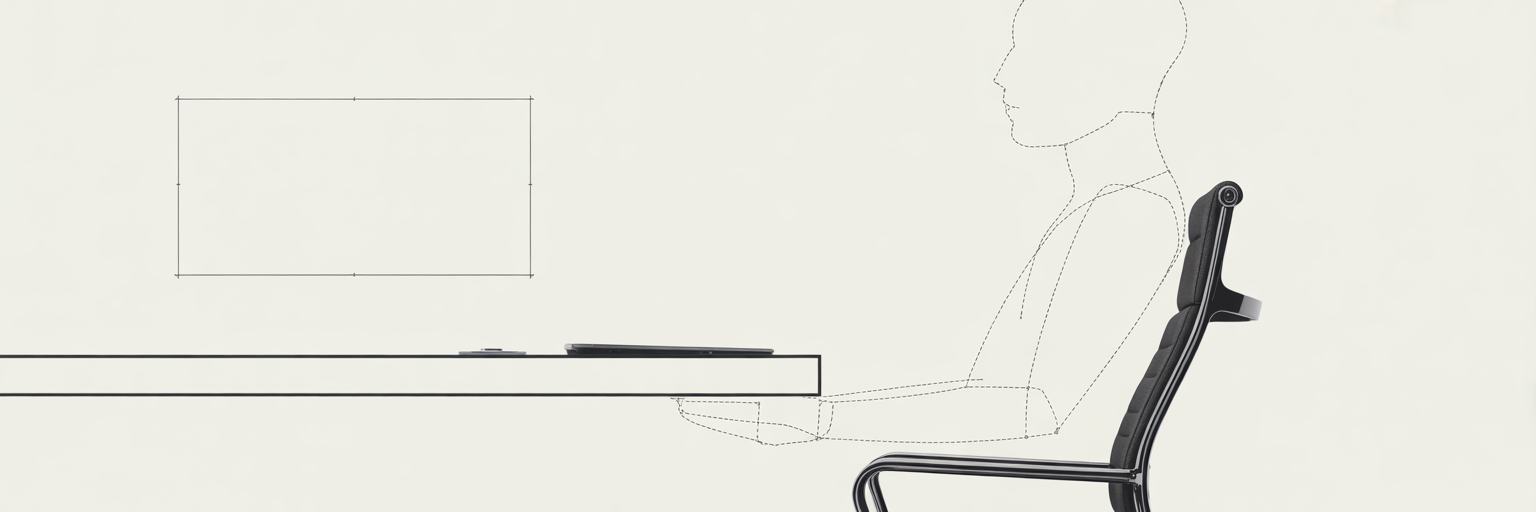
Once you have established your workspace location, the next step is to arrange it for your physical well-being. A proper ergonomic home office setup is not about expensive gadgets, it is a practical investment in your long-term health and ability to perform without discomfort. We often ignore the subtle aches and pains that build up over a workday, but they are signals that our setup is working against our body. As research from design experts at Steelcase highlights, the right physical environment has a direct impact on focus and well-being.
Achieving the Correct Seated Posture
Your chair is the command centre of your office. A supportive chair should encourage good posture, not force you to fight against it. The goal is to maintain a neutral body position. Start by adjusting your chair height so your feet are flat on the floor and your knees are at a roughly 90-degree angle. Your arms should rest comfortably at your sides, with your elbows also bent at about 90 degrees. This alignment prevents you from hunching over or reaching unnaturally for your keyboard, reducing strain on your shoulders and back.
Aligning Your Monitor and Peripherals
Your screen and keyboard placement are just as important. The top of your monitor should be at or slightly below eye level, forcing you to look straight ahead rather than tilting your head up or down. An easy way to check this is to sit back and extend your arm, your fingertips should just about touch the screen. Your keyboard and mouse should be positioned close enough that you can use them with straight wrists. Bending your wrists upwards or downwards for long periods is a common cause of repetitive strain injuries. Remember, ergonomic equipment like our top-rated gear is designed to support these healthy habits, but it is equally important to take regular breaks to stand up and stretch.
| Component | Ideal Setup Guideline | Common Mistake to Avoid |
|---|---|---|
| Chair Height | Feet flat on the floor, knees at a 90-degree angle. | Sitting too high with feet dangling or too low with knees above hips. |
| Lumbar Support | Chair's curve fits snugly into the lower back's natural curve. | Slouching forward or leaving a gap between your lower back and the chair. |
| Monitor Position | Top of the screen is at or just below eye level, about an arm's length away. | Tilting your head up or down to see the screen, causing neck strain. |
| Keyboard & Mouse | Elbows at a 90-degree angle, wrists straight and not bent up or down. | Reaching too far for the mouse or angling wrists uncomfortably to type. |
Organising for a Clutter-Free Mind
With your physical comfort addressed, it is time to focus on mental clarity. A cluttered desk creates visual noise that competes for your attention, making it harder to concentrate on the task at hand. Effective organisation is not about achieving a perfect, sterile look, it is about creating an efficient workflow where everything you need has a logical home. This is where smart home office organisation ideas come into play.
Start with the 'arm's reach' principle. Place your most frequently used items, like your notebook, pen, and phone, within easy reach. Anything used less often should be stored further away. This simple rule prevents you from constantly breaking your flow to search for something. Another common source of chaos is cable clutter. That tangled mess of wires under your desk is not just unsightly, it is a practical nuisance. Use cable organisers, sleeves, or clips to bundle them together and guide them out of sight.
To maintain this order, a small habit can make a huge difference. Implementing a quick end-of-day tidying routine helps reset your space for the next morning, so you can start fresh instead of facing yesterday's mess. Having the right home office essentials makes this process much simpler. Consider using vertical space with wall shelves or hidden storage like desk drawers to keep your main work surface as clear as possible.
Your 5-Minute Daily Workspace Reset:
- Clear all non-essential items from your desk surface.
- Wipe down the desk, keyboard, and mouse.
- Organize any loose papers into designated trays or folders.
- Return pens, notebooks, and headphones to their specific homes.
- Check that all cables are tidy and out of the way.
Crafting an Environment for Well-being
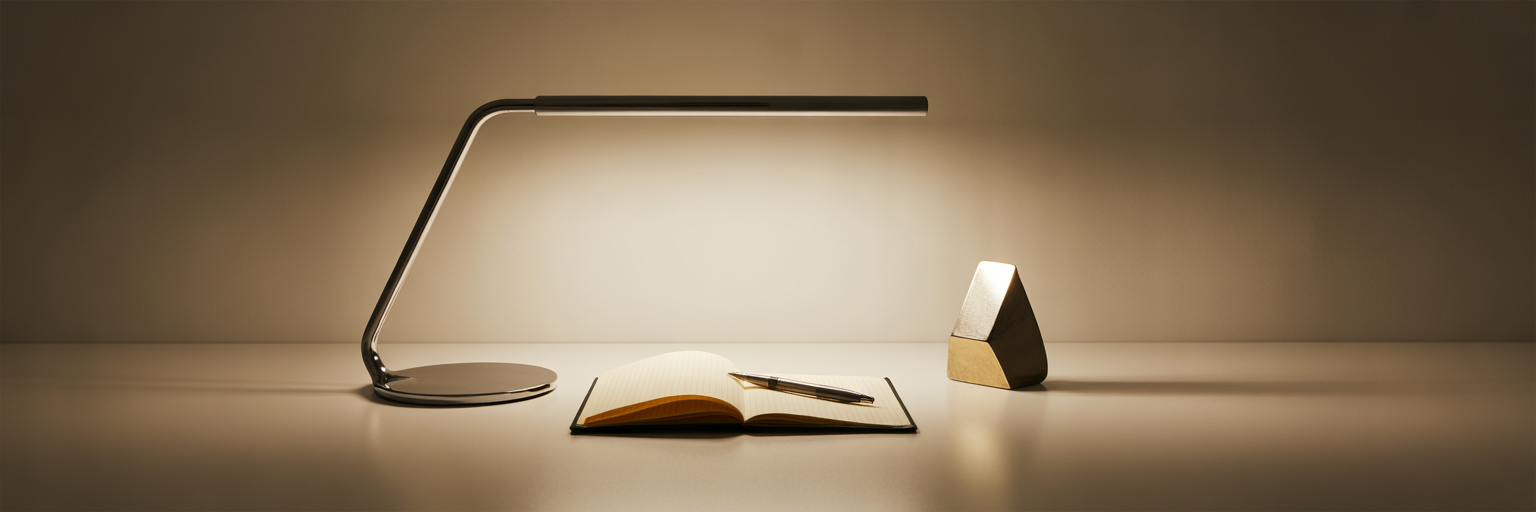
A truly productive home office feels good to be in. Beyond function and organisation, the sensory elements of your workspace play a huge role in your mood and motivation. This is about fine-tuning the atmosphere to support your mental and emotional comfort, which is one of the most overlooked home office productivity tips. Personalising your space with a piece of art or a family photo can make it feel more inspiring, but be mindful not to add items that could become distractions.
Managing your sensory environment is key. Noise is a common focus killer in a home setting. A quality pair of noise-cancelling headphones can be an invaluable tool for creating a bubble of concentration, especially in a busy household. Lighting also has a profound effect on energy levels. Relying solely on a single overhead light can cause eye fatigue. Instead, use layered lighting. Combine the ambient light in the room with a focused task lamp on your desk to illuminate your work area without creating harsh shadows.
Finally, consider bringing a touch of nature into your space. Biophilic design, which incorporates natural elements into our environments, has been shown to reduce stress and improve creativity. A simple, low-maintenance plant on your desk or a nearby shelf can improve air quality and provide a welcome visual break from your screen. As many professionals on platforms like LinkedIn advise, making your office comfortable with personal touches that inspire you is a direct path to better work.
Choosing Sustainable and Mindful Solutions
The final layer in designing your ideal workspace is intentionality. The choices you make about the products you bring into your space reflect your values. Creating a mindful office is not just about what you do in it, but what it is made of. Opting for sustainable workspace solutions is a commitment to both your well-being and the health of the planet.
Look for products made from eco-conscious materials like bamboo, recycled metals, or reclaimed wood. These choices reduce environmental impact without compromising on style or function. We believe in investing in durable, high-quality gear over cheap, disposable alternatives. A well-made desk lamp or a sturdy set of organisers will not only last longer, saving you money over time, but it also contributes to a culture of less waste. When you select reliable office tech, you are choosing longevity.
Embrace a 'less but better' mindset. Before making a purchase, ask yourself if it serves a real purpose and if it is something you will value for years to come. By being deliberate with your choices, you create a workspace that is not only productive and comfortable but also a true reflection of your commitment to mindful living.